Session 2
2023-09-06
| set | x | y | set | x | y | set | x | y | set | x | y |
|---|---|---|---|---|---|---|---|---|---|---|---|
| I | 10 | 8.04 | II | 10 | 9.14 | III | 10 | 7.46 | IV | 8 | 6.58 |
| I | 8 | 6.95 | II | 8 | 8.14 | III | 8 | 6.77 | IV | 8 | 5.76 |
| I | 13 | 7.58 | II | 13 | 8.74 | III | 13 | 12.74 | IV | 8 | 7.71 |
| I | 9 | 8.81 | II | 9 | 8.77 | III | 9 | 7.11 | IV | 8 | 8.84 |
| I | 11 | 8.33 | II | 11 | 9.26 | III | 11 | 7.81 | IV | 8 | 8.47 |
| I | 14 | 9.96 | II | 14 | 8.10 | III | 14 | 8.84 | IV | 8 | 7.04 |
| I | 6 | 7.24 | II | 6 | 6.13 | III | 6 | 6.08 | IV | 8 | 5.25 |
| I | 4 | 4.26 | II | 4 | 3.10 | III | 4 | 5.39 | IV | 19 | 12.50 |
| I | 12 | 10.84 | II | 12 | 9.13 | III | 12 | 8.15 | IV | 8 | 5.56 |
| I | 7 | 4.82 | II | 7 | 7.26 | III | 7 | 6.42 | IV | 8 | 7.91 |
| I | 5 | 5.68 | II | 5 | 4.74 | III | 5 | 5.73 | IV | 8 | 6.89 |
A little hard to read!
Take a look at the data using some summary statistics:
| set | x_mean | y_mean | x_sd | y_sd | r |
|---|---|---|---|---|---|
| I | 9 | 7.5 | 3.3 | 2 | 0.82 |
| II | 9 | 7.5 | 3.3 | 2 | 0.82 |
| III | 9 | 7.5 | 3.3 | 2 | 0.82 |
| IV | 9 | 7.5 | 3.3 | 2 | 0.82 |
Now, take another look using a plot:
A map is a special type of data visualization for spatial data but it isn’t the only one.
Plots and tables are other common ways to visualize spatial data.

Visuals can be further transformed using animation and interactivity.
Maps, graphics, and tables also vary in format: print, web, mobile, etc.
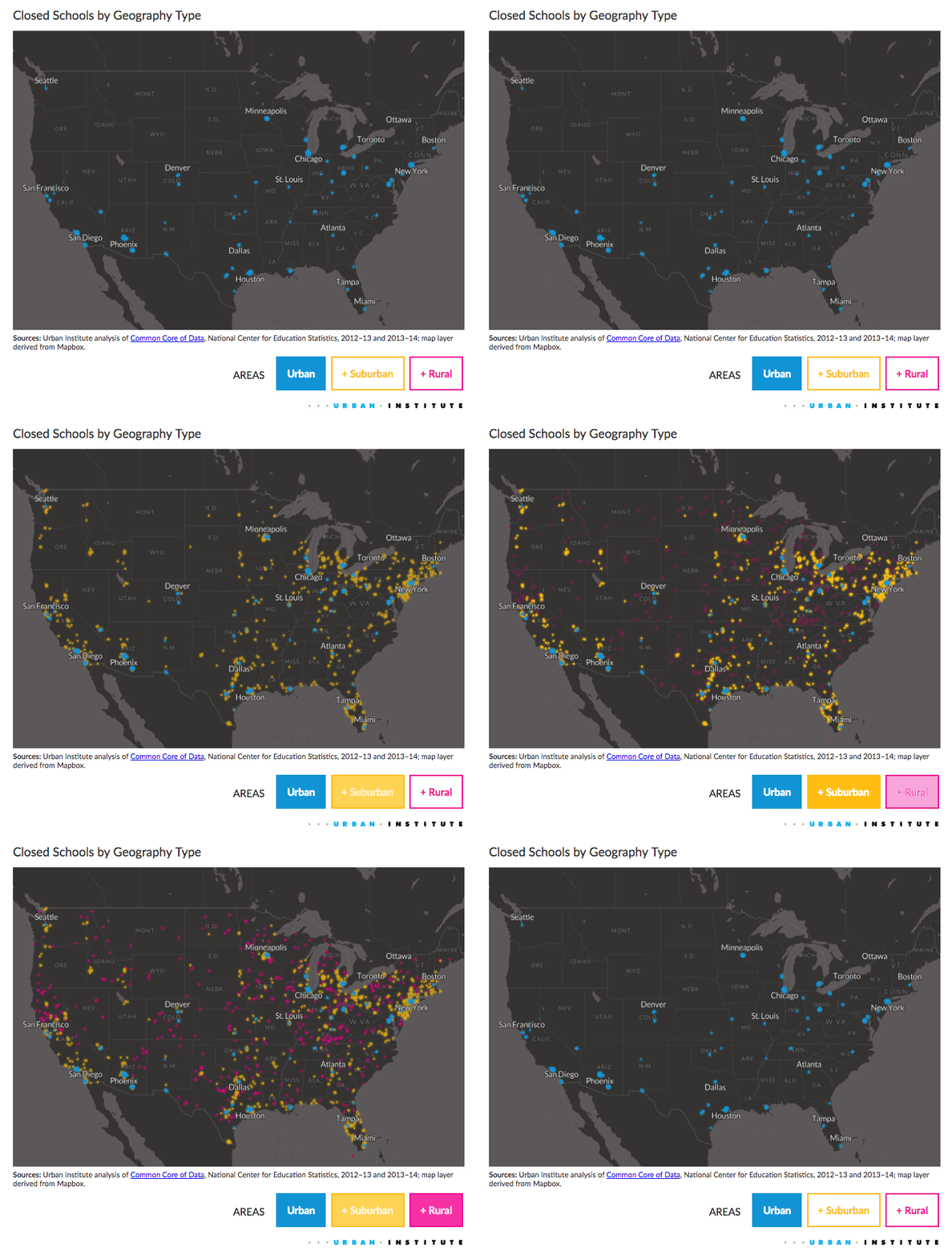
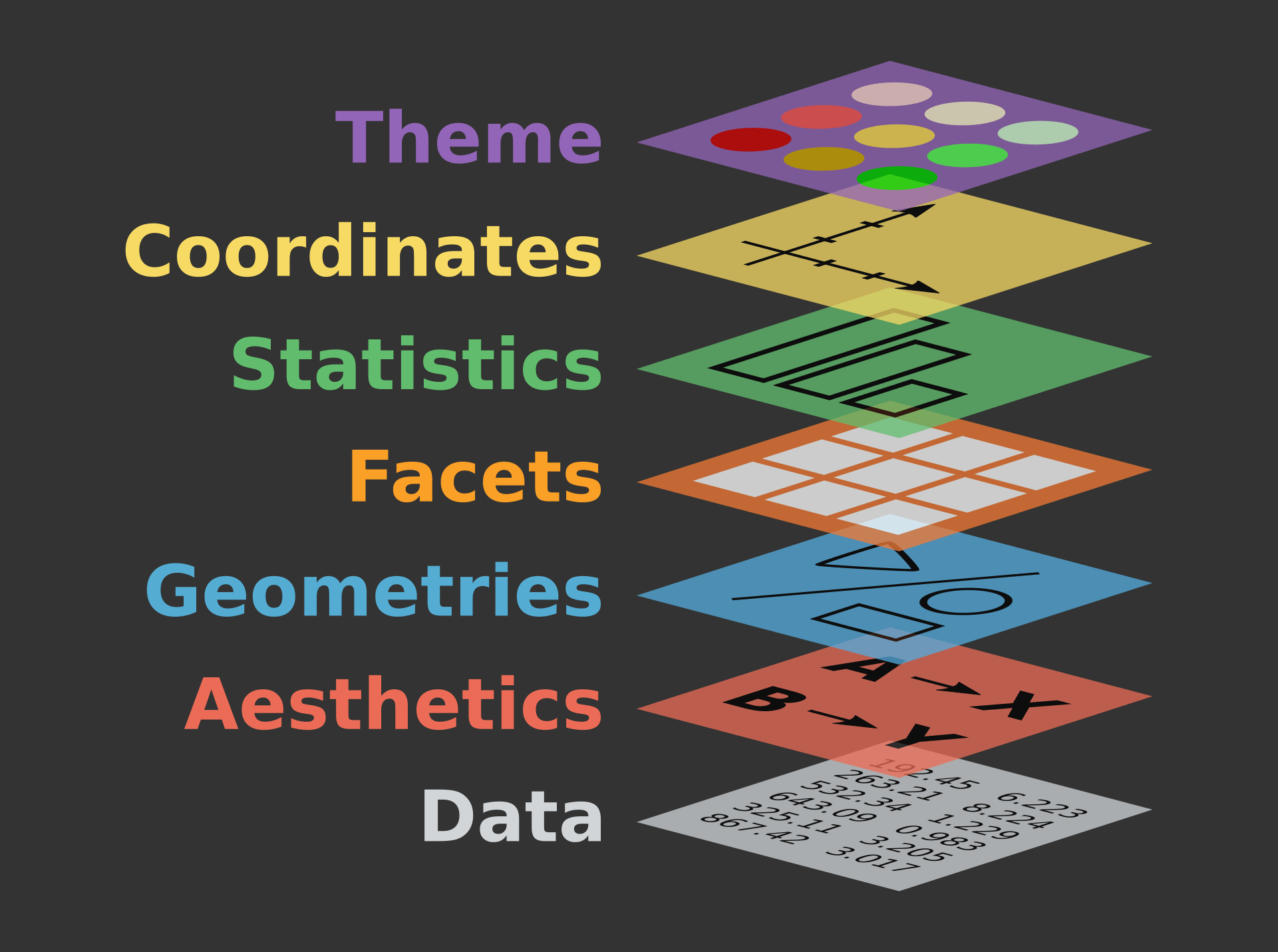
From The Grammar of Graphics for Introduction to data visualisation with ggplot2 QCBS R Workshop Series.
Introduction to the “grammar of graphics” adapted from a 2020 ggplot2 workshop (part 1) by Thomas Lin Pedersen.
A few definitions:
What works best with the grammar of graphics is tidy data:
Mapping allows data to be understood by the graphics system
Data may not represent the displayed values
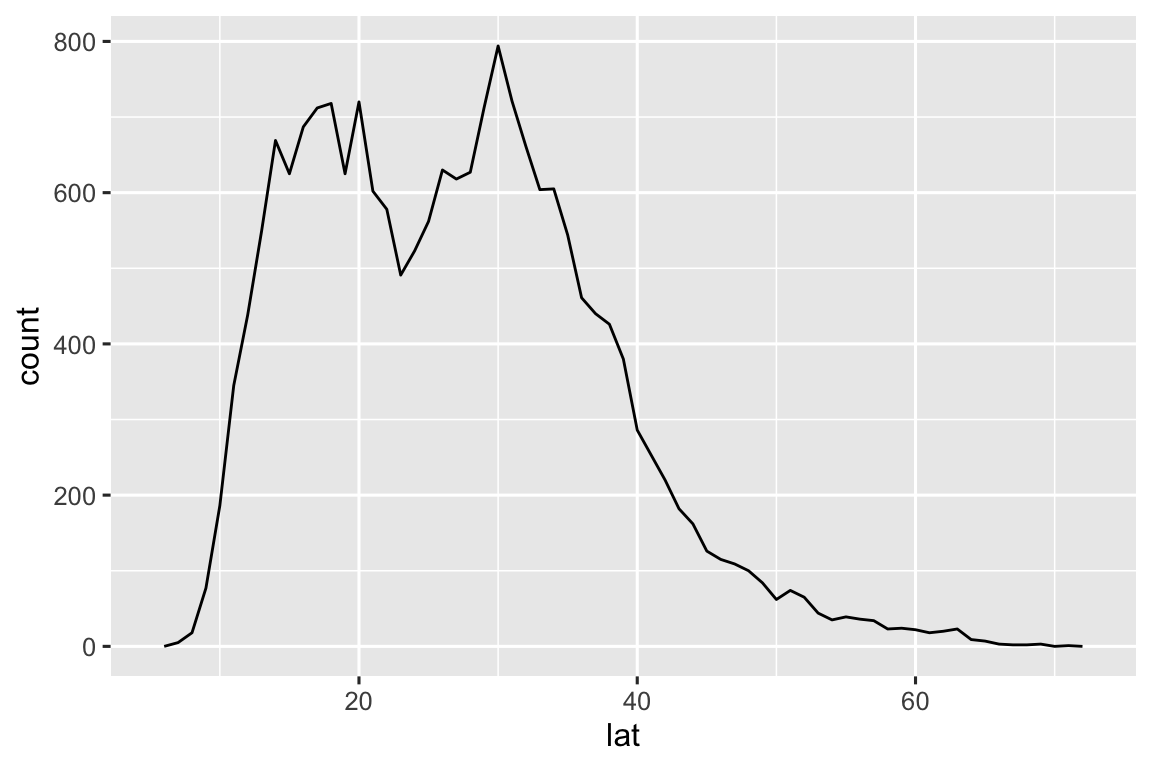
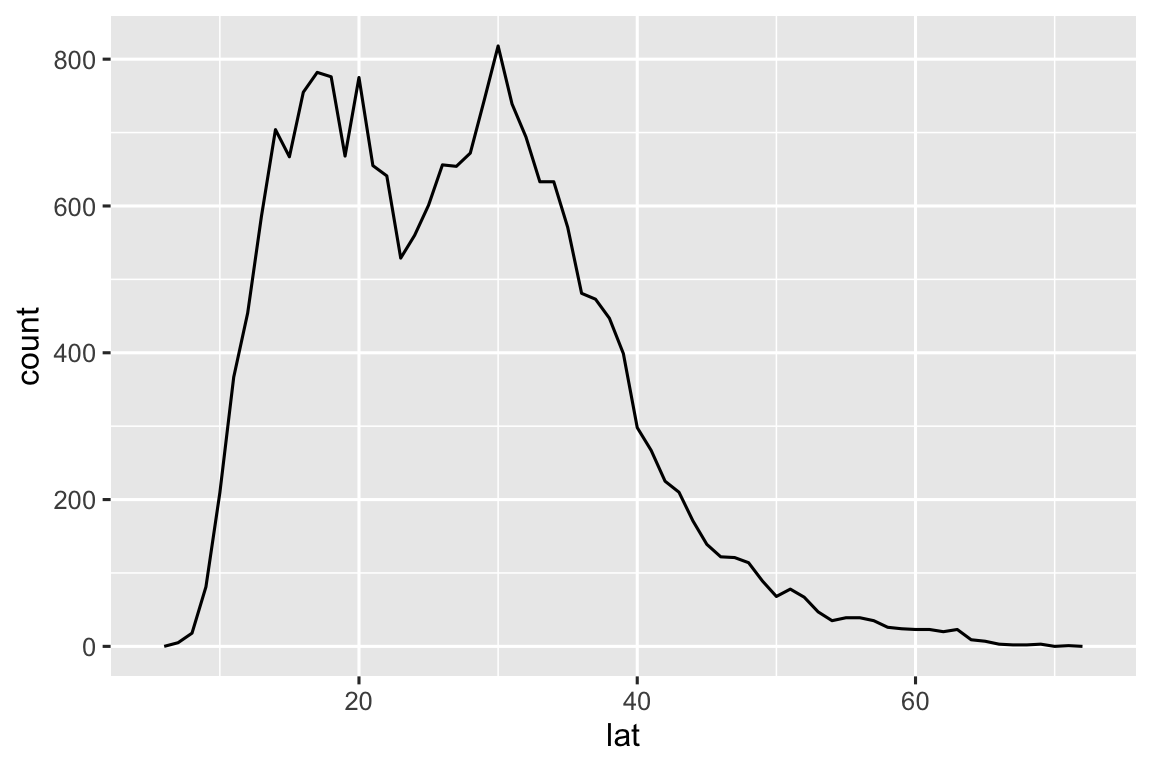
Statistics transform input variables into displayed values, e.g.
Statistics can be used prior to plotting data or used by a plotting function directly.
Scales translate between value ranges and graphical properties, e.g.
Scales use a specific type of interpolation, e.g. discrete, continuous, etc., so not all scales work with all variables.
In the not too common case where data directly represents a graphical property, e.g. a “color” column, you can use a special type of scale called an “identity” scale.
How translate aesthetics into graphical representations
Basic geometries (e.g. points, lines, polygons) can be combined into more complex geometries (e.g. box plot, map)
Typically, the geometries are the same as the “type” of plot
Positional aesthetics must be interpreted by a coordinate system
Defines the physical mapping of aesthetics to the paper
We usually think about the cartesian coordinate system—but there are a lot of different kinds of coordinate systems.
Every other part of the graphic that isn’t linked to the data:
{ggplot2} to…For this session, we are going to use the ggplot2 and dplyr packages along with sf and rnaturalearth:
Next, we are going to use the storms data included with dplyr.
Take a quick look at storms using glimpse():
glimpse(storms)
#> Rows: 20,778
#> Columns: 13
#> $ name <chr> "Amy", "Amy", "Amy", "Amy", "Amy", "Am…
#> $ year <dbl> 1975, 1975, 1975, 1975, 1975, 1975, 19…
#> $ month <dbl> 6, 6, 6, 6, 6, 6, 6, 6, 6, 6, 6, 6, 6,…
#> $ day <int> 27, 27, 27, 27, 28, 28, 28, 28, 29, 29…
#> $ hour <dbl> 0, 6, 12, 18, 0, 6, 12, 18, 0, 6, 12, …
#> $ lat <dbl> 27.5, 28.5, 29.5, 30.5, 31.5, 32.4, 33…
#> $ long <dbl> -79.0, -79.0, -79.0, -79.0, -78.8, -78…
#> $ status <fct> tropical depression, tropical depressi…
#> $ category <dbl> NA, NA, NA, NA, NA, NA, NA, NA, NA, NA…
#> $ wind <int> 25, 25, 25, 25, 25, 25, 25, 30, 35, 40…
#> $ pressure <int> 1013, 1013, 1013, 1013, 1012, 1012, 10…
#> $ tropicalstorm_force_diameter <int> NA, NA, NA, NA, NA, NA, NA, NA, NA, NA…
#> $ hurricane_force_diameter <int> NA, NA, NA, NA, NA, NA, NA, NA, NA, NA…Remember! Each row is an *(observation** of a storm, not a individual storm.
storms is a subset of a larger Atlantic hurricane database (HURDAT2) with data from 1851 to 2022.
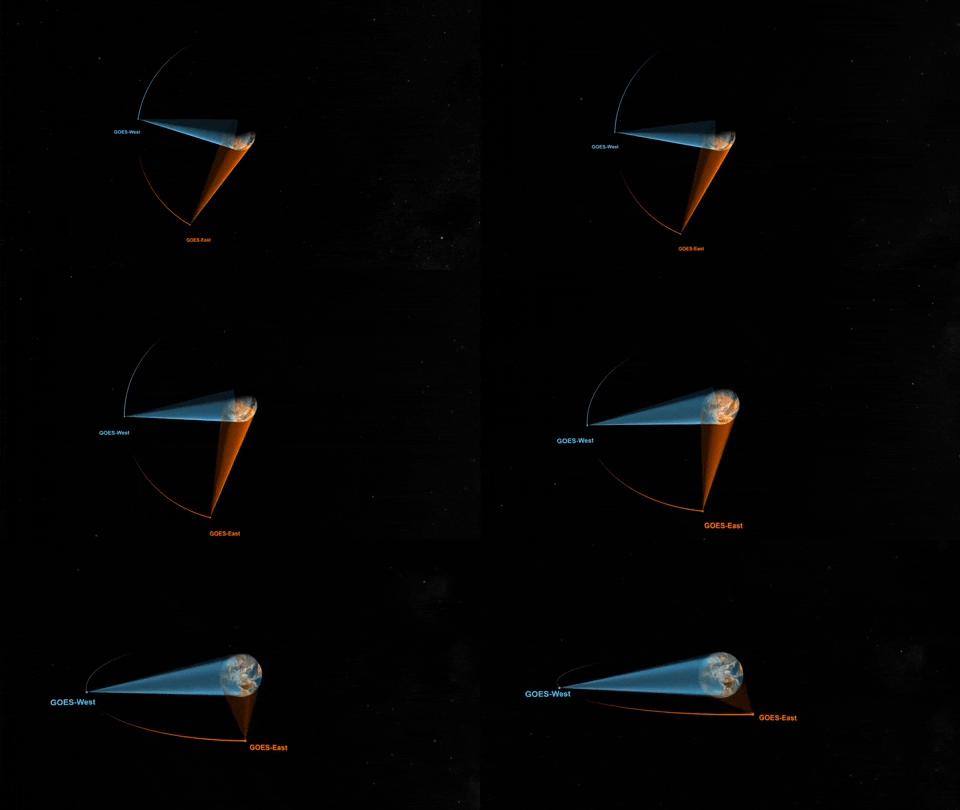
Since 1974, NOAA’s Geostationary Operational Environmental Satellite program has played a key role in tracking storms and monitoring weather around the world.
ggplot
We can start by using the function ggplot() to define a plot object. Set storm as the input data for ggplot():
Well, that doesn’t look like much. 🤔
This is the first step in creating a plot that we can add layers to. Parameters set with ggplot() are inherited by layers added later.
aes()
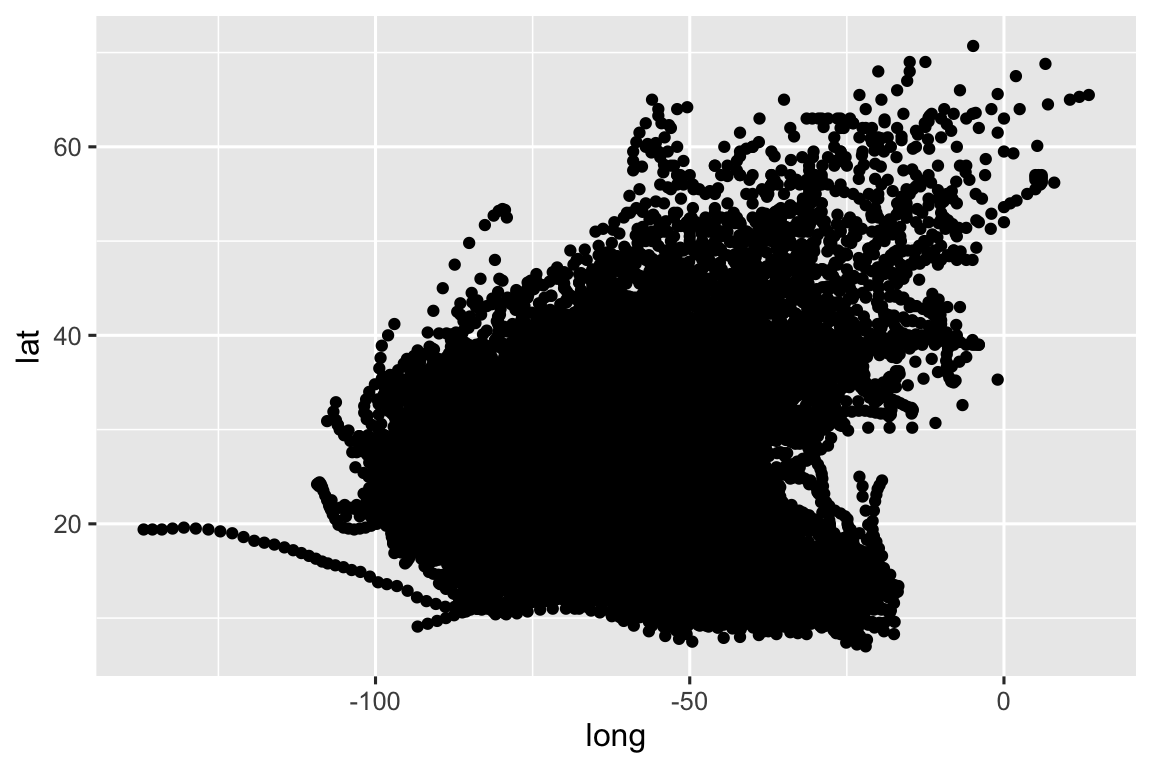
Next, we can set the mapping using the aes() function. We can start by mapping long (longitude) to x and lat (latitude) to y:
Before we can see any data, we need to tell ggplot() how we want to represent the data using layers.
Layers in ggplot2 are most often added using “geoms” (short for geometry) functions like geom_point(), geom_col(), or geom_histogram().
Let’s give it a try using geom_point():
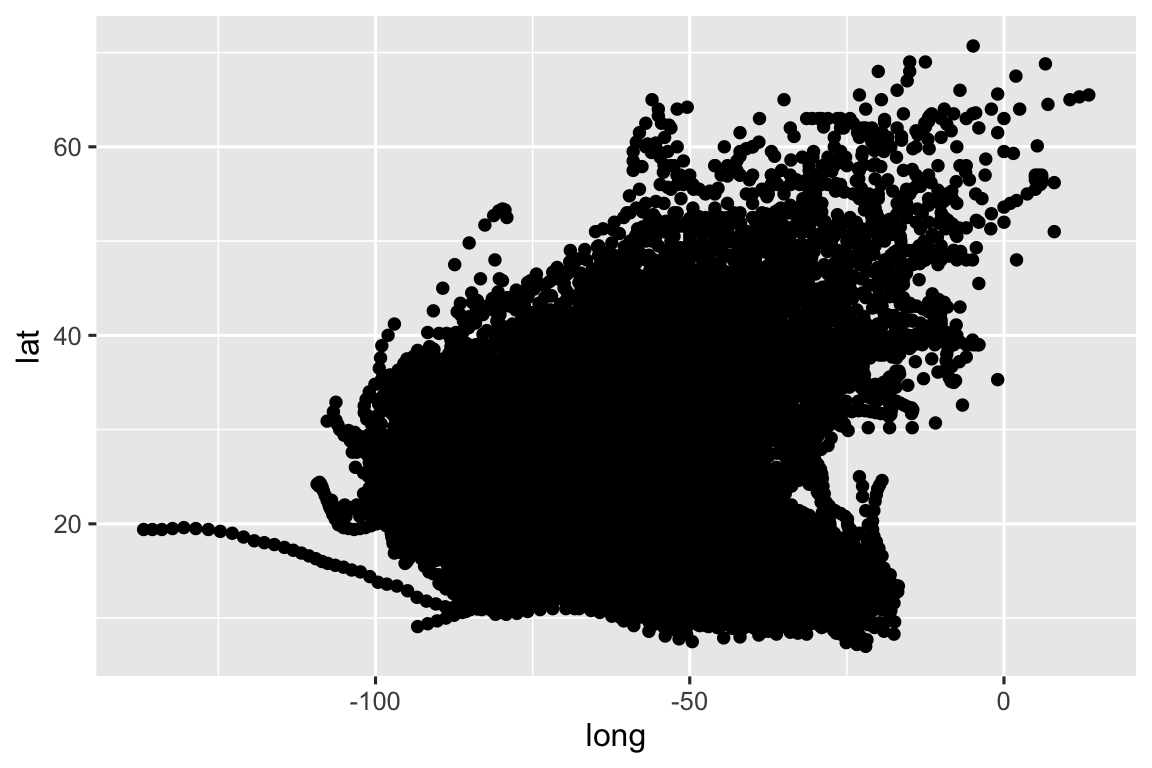
You can define the data and mapping parameters globally using ggplot() or locally for a single geom function. This code does the exact same thing as the prior block:
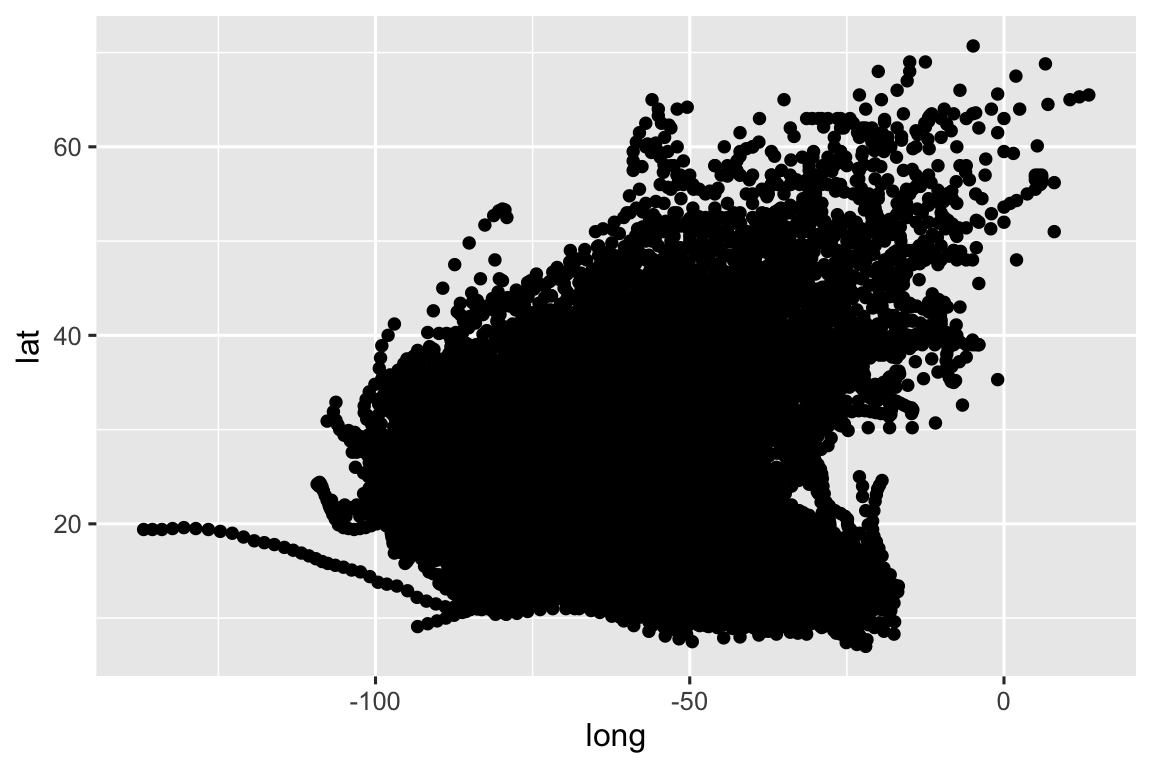
+ operator?Notice that we are combining the ggplot() and geom_point() functions using the + operator.
This is a style of function or operator known as an infix operator.
This operator works is similar to the pipe operator, %>% or |> that passes the output from one function (or line of code) to the next line as the first parameter in a following function.
For example, see how we can use a series of pipes to operate on the storms data:
The prior block is the same as the following block:
Using pipes can help avoid the need for intermediate objects like storm_names that might only exist to move the output of one function to the input for another function.
The first parameter for ggplot() is data and the first parameter for all geom functions is mapping so you often see these passed as unnnamed parameters:

You can even leave off the x and y parameter names:

Mapping variables are not strings!
The variables passed to aes() don’t have quotes around them! This is because aes() is a data-masking (also known as a quoting function) where the inputs are evaluated in the context of the data.
TLDR: only put quotes around your aesthetic mappings when you want to pass a literal string.
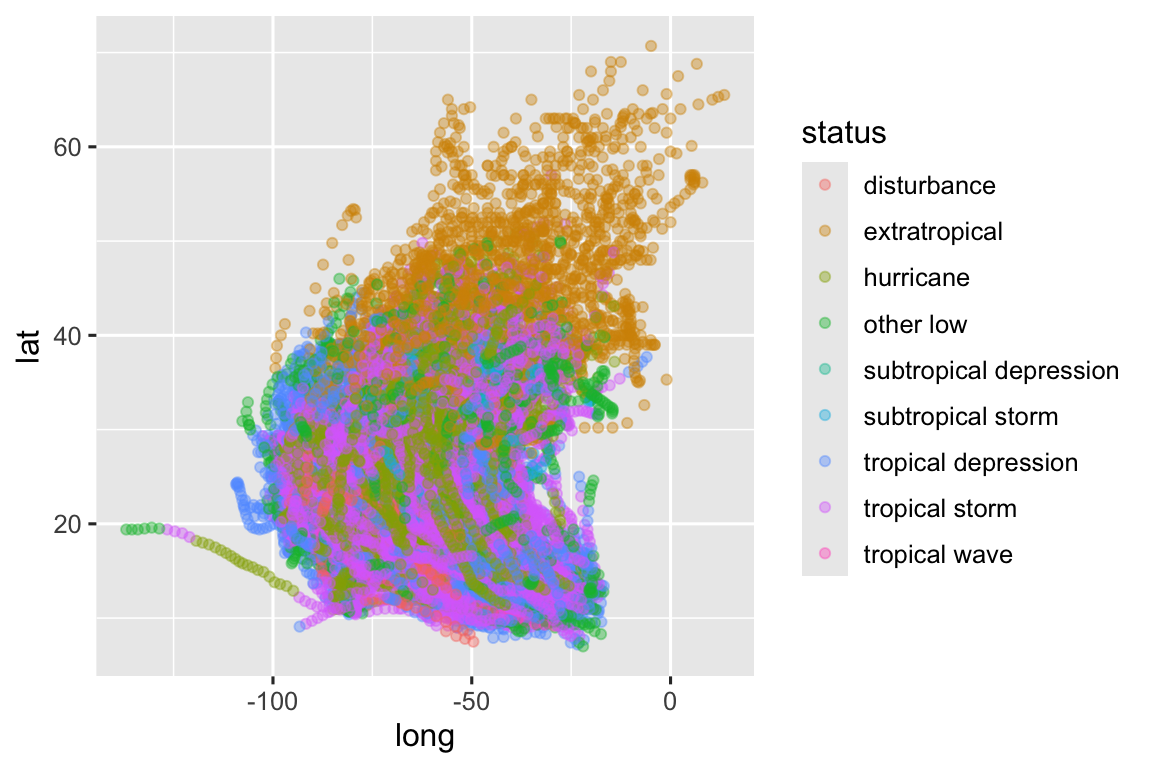
Next we can map one of the variables (status or storm classification) to an aesthetic (color):
Note that we now have a legend, added automatically when we defined a mapping to color. Since color is not a “positional aesthetic” we can’t easily interpret the meaning of the graphic without a legend, labels, or annotations.

In addition mapped aesthetics, we can set “fixed” aesthetics (called fixed because the same value is used for every observation in the plot).
When you have a lot of overlapping features (known as overplotting), you may want to reduce the alpha (or transparency) of the features:
Fixed aesthetics should be defined for each geom—they are ignored if you pass them to ggplot().

Aesthetics can also be defined using a function. In this example, we are using the boolean operator == to compare the values from “status” to the string “hurricane”:

To start, let’s convert our storms data set from a data frame into a sf object using sf::st_as_sf():
Always supply coordinates with longitude before latitude!
sf::st_as_sf() requires that you supply coordinates in lon lat order. This is also the standard order for GeoJSON files, Shapefiles, and KML files. Check out lon lat lat lon by Tom MacWright for more information.
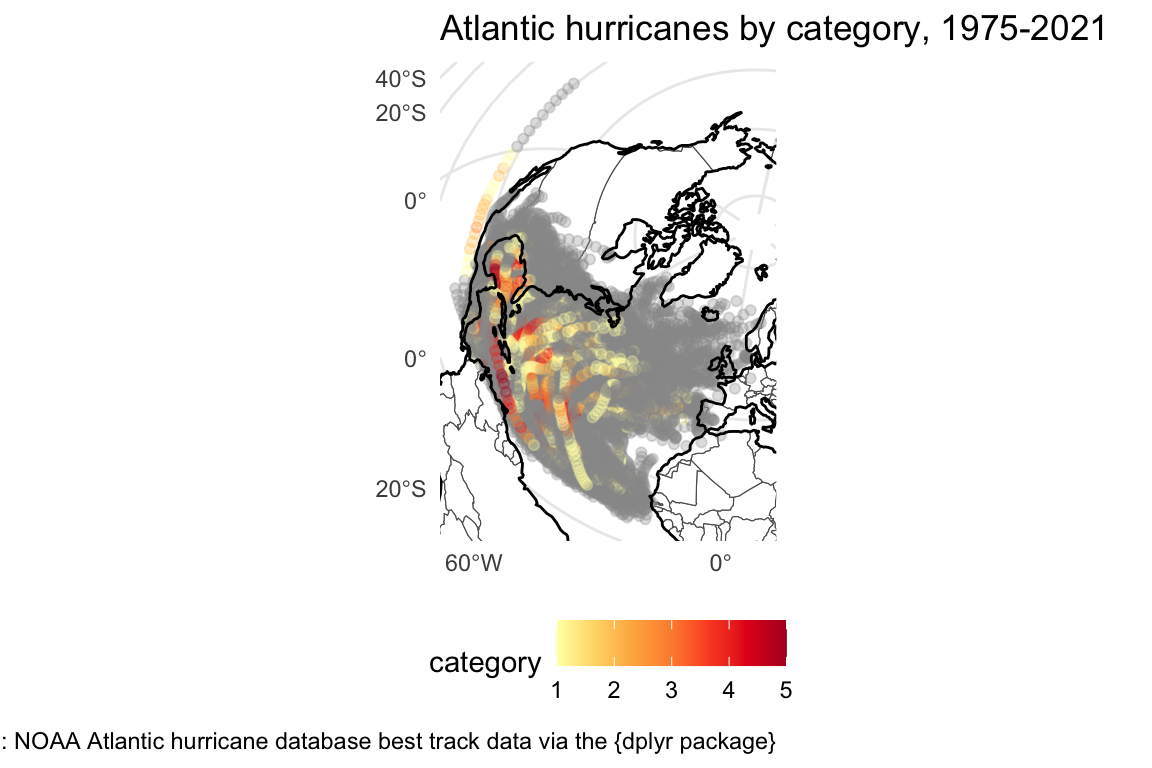
Finally, we can look at these observations on a map:
That first map may not look much different.
But converting the data to a sf object allows us to use coord_sf() to transform the coorindate reference system on the fly:
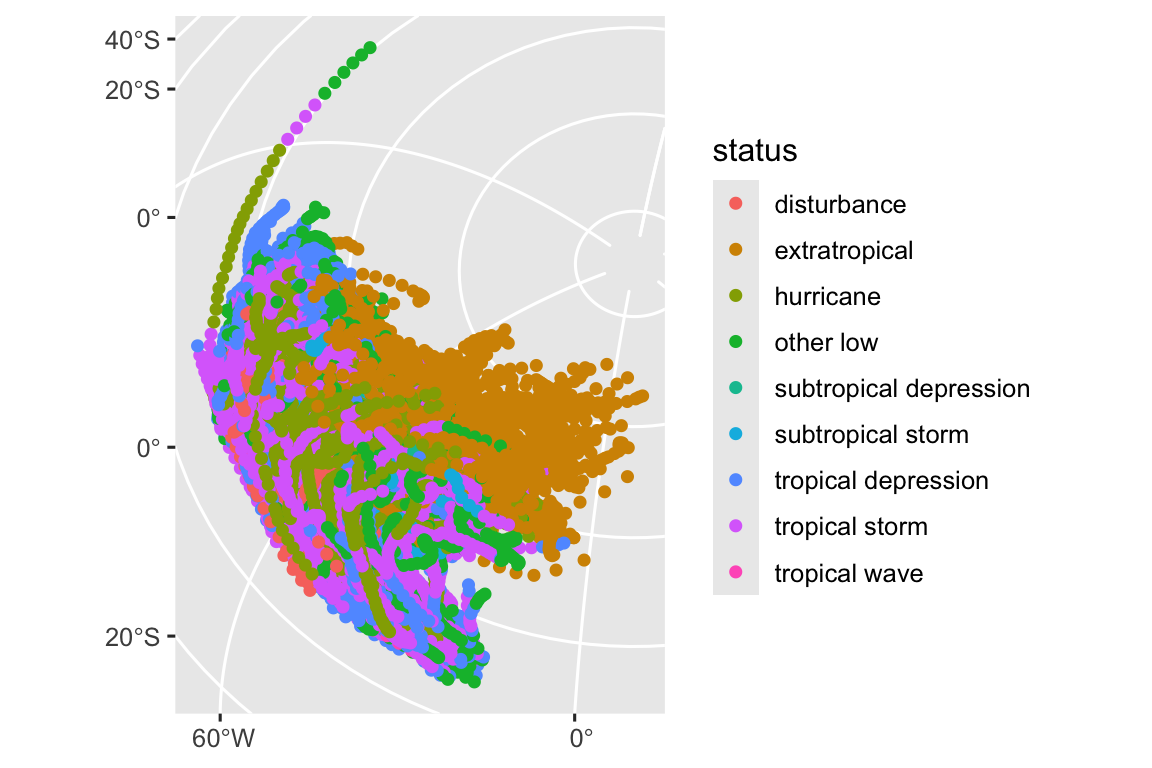
This is equivalent to converting the coordinate reference system in advance using st_transform():
Note, that this is another example of how we can use the pipe (|>) to move data between functions in R.
However, to really show the potential, we need some more data. Install and load the rnaturalearth package and then load data for the coastline and countries:
Put them together and we are starting to get somehwere:
But the map is zoomed out to show the whole world—not just the north Atlantic storm observations. We can use the xlim and ylim parameters of coord_sf() to “zoom” in on a smaller area:
storms_bbox <- storms_sf |>
st_transform("EPSG:3035") |>
st_bbox()
storms_map <- ggplot() +
geom_sf(data = countries, fill = "white") +
geom_sf(data = storms_sf, aes(color = category), alpha = 0.3) +
geom_sf(data = coastline, color = "black") +
coord_sf(
xlim = c(storms_bbox$xmin, storms_bbox$xmax),
ylim = c(storms_bbox$ymin, storms_bbox$ymax),
crs = "EPSG:3035"
)
storms_mapTry adding a scale:
Now try adding some labels:
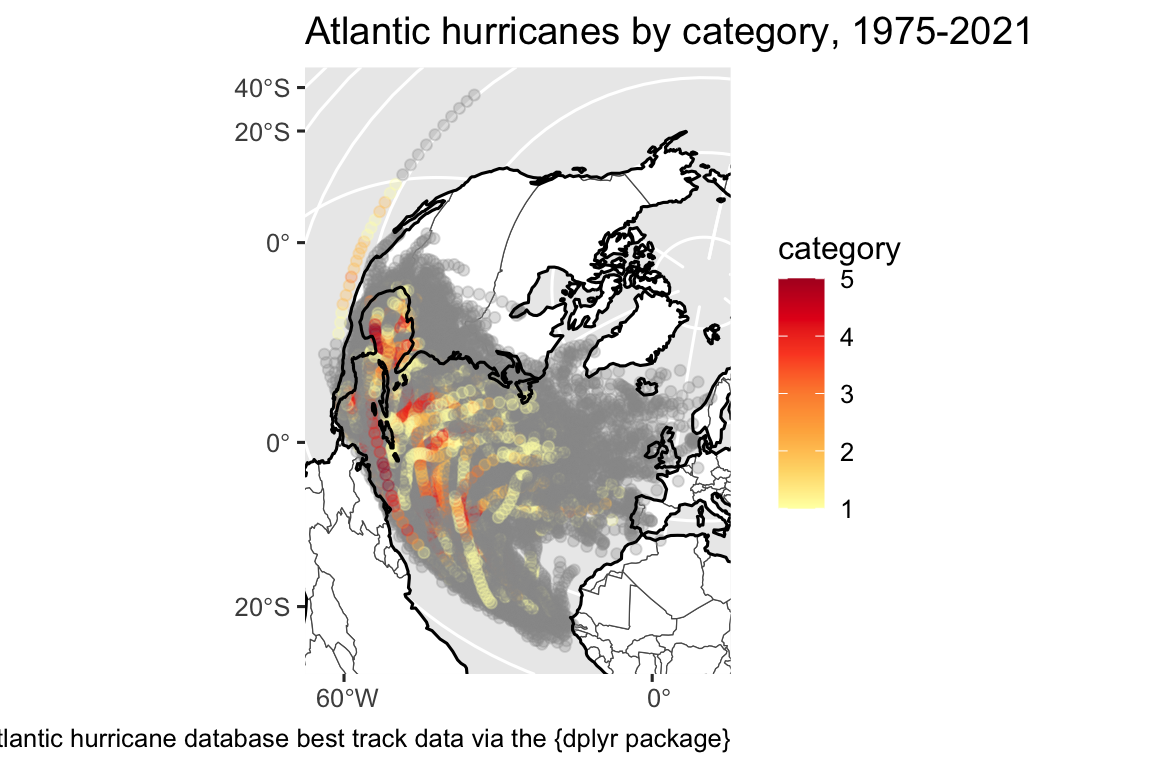
Lastly, we can adjust the theme:
“It’s true that there are better and worse ways to make a map but no one way to make an excellent map.”
Gretchen N. Peterson in GIS Cartography: A Guide to Effective Map Design

For new map makers who might not know any better, it is often:
For more experienced map makers who might be in a hurry: - Not enough thought on font sizes and styling - No feature generalization (simplifying geometry where appropriate for the map scale or subject) - Inappropriate color scales
There are many cartographic considerations that also apply to other all types of data visualization:
But there are also some cartographic considerations that apply to maps in special and important ways: